If you're using a disposable camera app or a QR code photo gallery at your wedding, the table sign does almost all the work of getting guests to participate. It's not optional — it's the single piece of design that converts a guest's curiosity into a tap on their phone.
We've built four free printable wedding photo table sign templates you can use as-is or edit to match your wedding style. Below: the download links, the design rationale, what wording works, what doesn't, and how to print them so they don't look cheap.
 Photo by Jay Panjer on Pexels.
The Free Templates
All templates are designed in a 2000 × 3000 px format (5×7" ratio) with a pre-sized QR code area optimized for reliable scanning. Templates are fully editable, so you can customize colors, fonts, text, and layout to match your event style. Don't forget to replace the sample QR code with the QR code from your own event before printing or sharing.
Template Collection 1 — "Be Our Second Photographer" (Modern Minimalist)
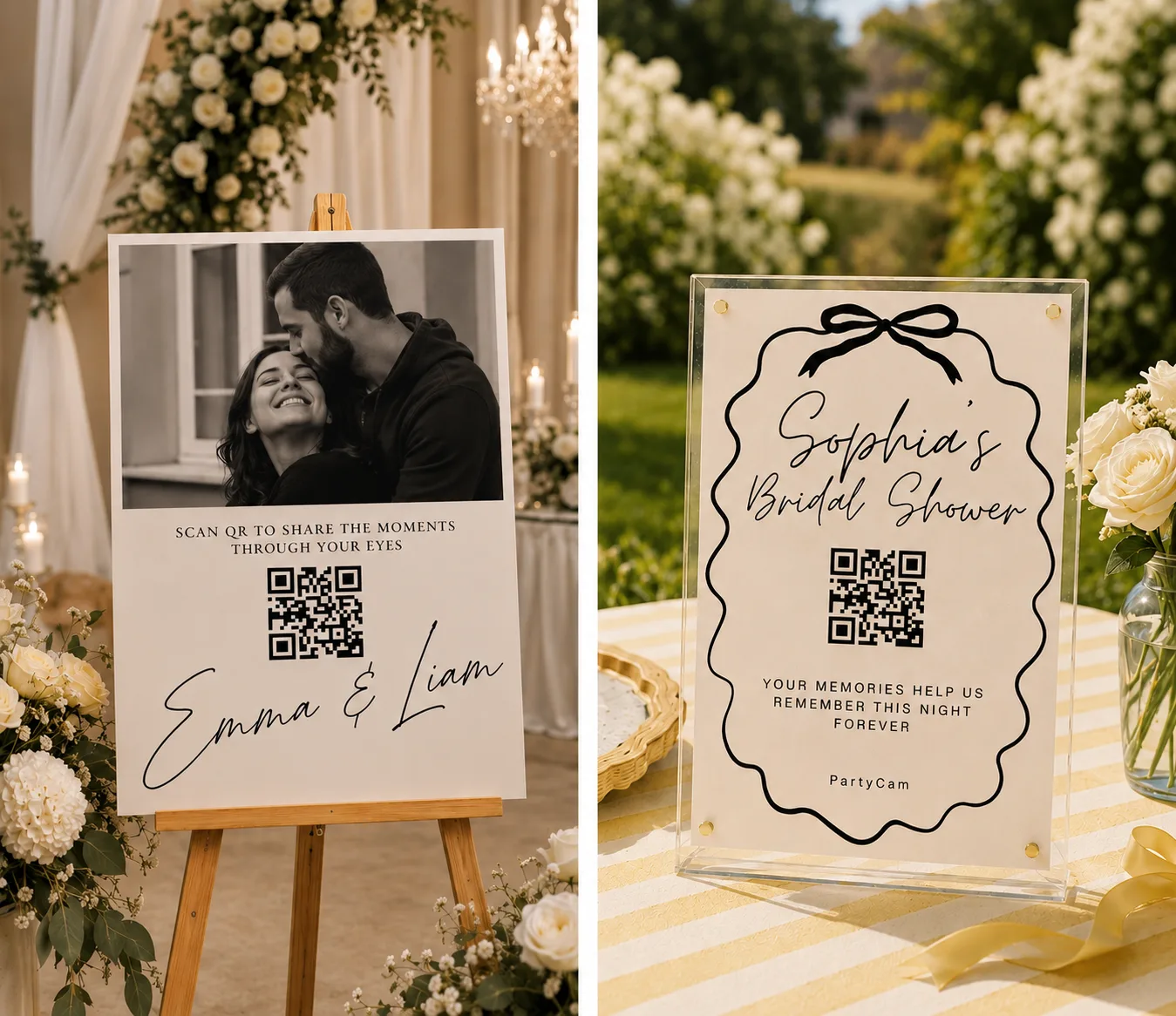
Clean typography, elegant monochrome tones, and refined editorial-inspired layouts designed to blend seamlessly into modern celebrations. These templates create a stylish and elevated way for guests to share their memories through PartyCam.
- Best for: Modern weddings, luxury events, minimalist celebrations, chic receptions, and contemporary couples.
- Available as: All formats for digital download & print-ready use — simply add your event name and QR code.
- Editable Canva link: Template Collection 1
Template Collection 2 — "Help Us Remember Today" (Romantic Script)
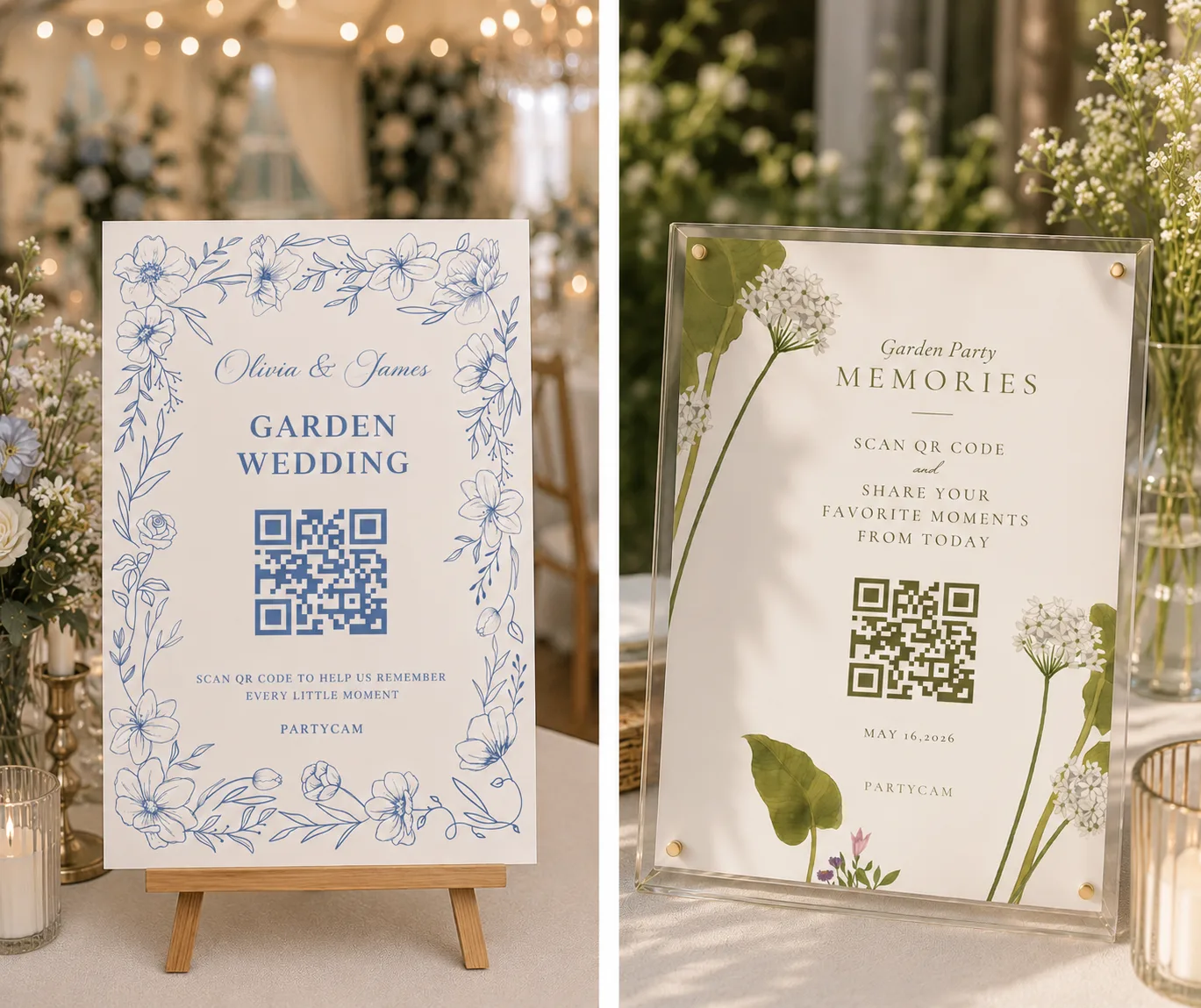
Elegant handwritten typography paired with delicate florals, vintage-inspired details, and soft romantic accents designed to create a timeless and heartfelt atmosphere. These templates bring a graceful, storybook feel to your event while making it easy for guests to share their favorite memories through PartyCam.
- Best for: Romantic weddings, garden parties, bridal showers, vintage-inspired celebrations, and classic love stories.
- Available as: All formats for digital download & print-ready use — simply add your event name and QR code.
- Editable Canva link: Template Collection 2
Template Collection 3 — "Capture the Day Through Your Eyes" (Editorial Film)
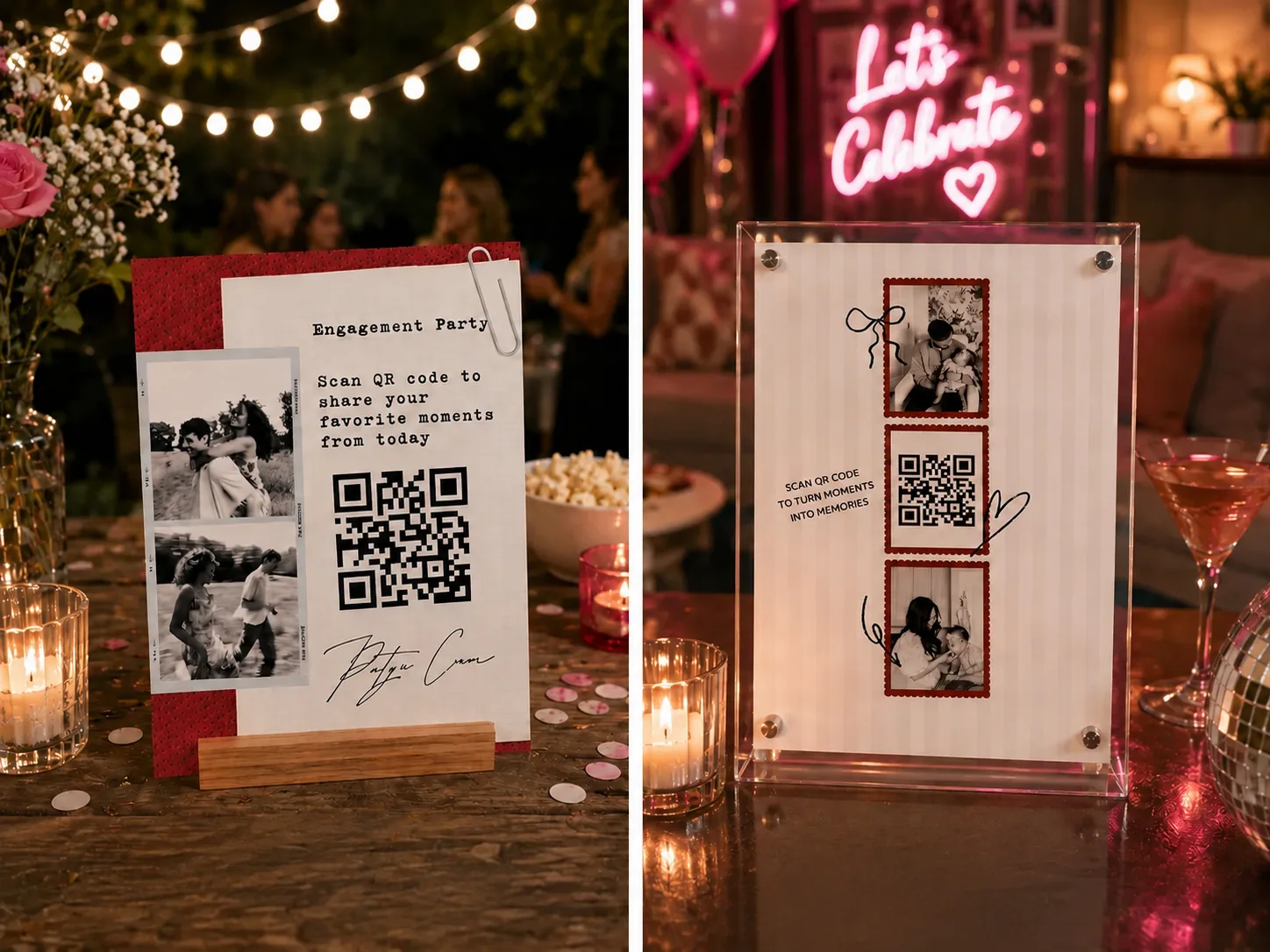
Bold flash photography, layered polaroids, film-strip details, and textured dark aesthetics inspired by late-night memories and candid moments. This collection captures the nostalgic energy of disposable cameras and documentary-style storytelling while giving guests a stylish way to share photos through PartyCam.
- Best for: After-party weddings, editorial-style events, nightlife celebrations, modern couples, film-inspired aesthetics, and trendy social gatherings.
- Available as: All formats for digital download & print-ready use — simply add your event name and QR code.
- Editable Canva link: Template Collection 3
Template Collection 4 — "Scan, Shoot, Share" (Bold Bauhaus)
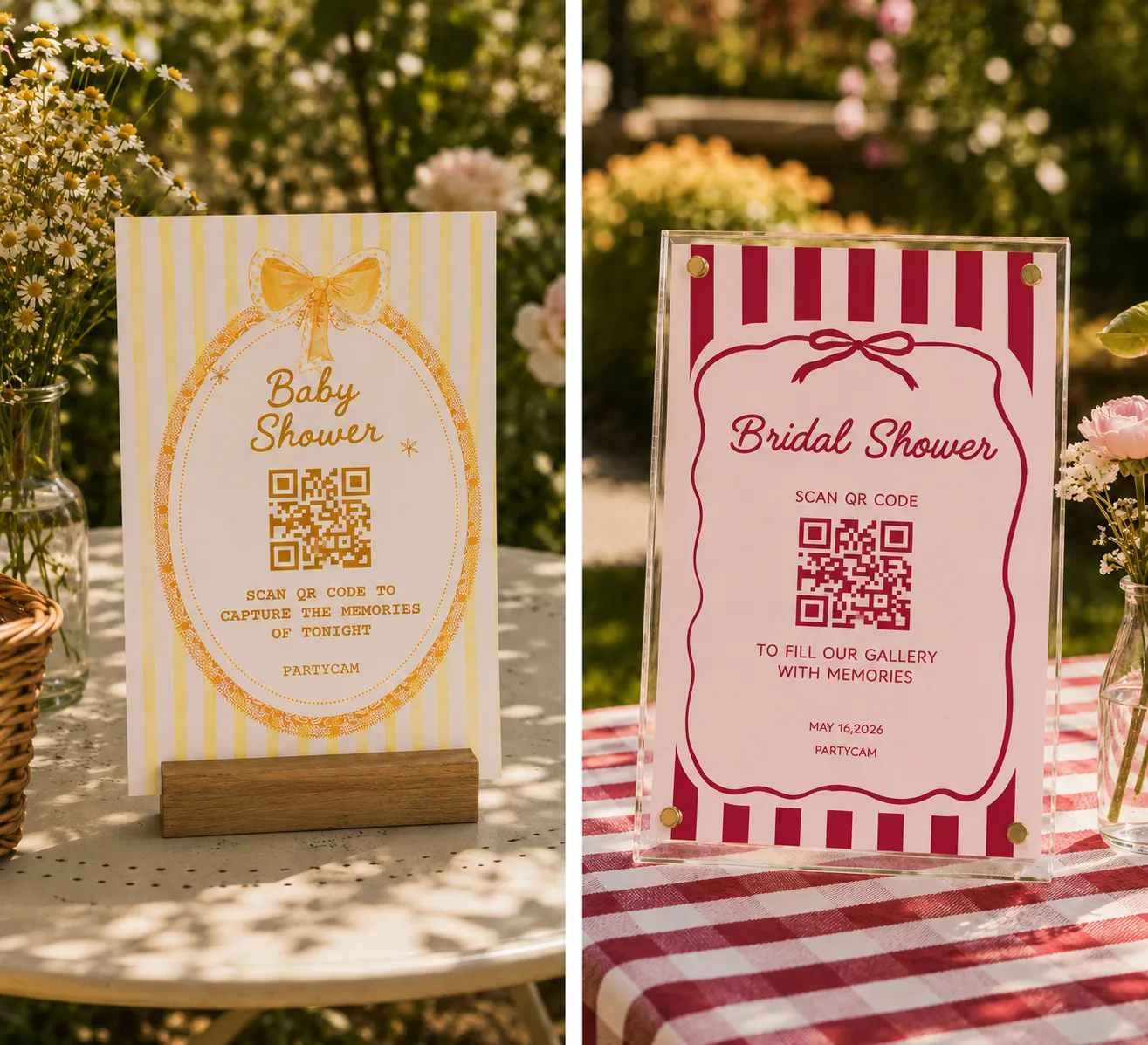
Bold typography, playful hand-drawn elements, vibrant color palettes, and nostalgic disposable-camera energy inspired by scrapbook aesthetics and early-2000s party culture. Designed to feel fun, expressive, and instantly eye-catching while keeping the QR code front and center.
- Best for: Birthday parties, bachelorette weekends, casual weddings, colorful celebrations, Gen Z events, and trendy social gatherings.
- Available as: All formats for digital download & print-ready use — simply add your event name and QR code.
- Editable Canva link: Template Collection 4
Why a Sign Matters More Than Anything Else
Every couple thinks the choice of photo app is what determines guest participation. It isn't. The signage is.
We tracked this across recent weddings using QR-code photo apps. The pattern was unmistakable:
- Couples with no signage: guest participation around 15–25%.
- Couples with one small QR code at each table: participation around 30–40%.
- Couples with a clear welcome sign at the entrance plus visible table cards: participation around 65–80%.
The cost difference between zero signs and great signs is about $40 in cardstock and printing. The difference in the resulting gallery is roughly 5–10x more photos.
Wording That Works (And Wording That Doesn't)
This is where most couples and even most templates online get it wrong. The default phrase is "Share your photos!" — which is unclear, generic, and doesn't tell anyone what to do.
The best wording does three things in this exact order:
- A reason to participate (1 short line)
- The exact instruction (scan, then…)
- The payoff (what they get out of it)
Headlines that get scanned
- "Be our second photographer."
- "Help us see today through your eyes."
- "Our photographer can't be everywhere. You can."
- "Capture the moments only you can see."
- "Today through your lens."
Subheads that explain what to do
- "Scan the code, shoot, send. No downloads, no apps."
- "Point your camera here → tap → snap. We'll get it instantly."
- "Scan to open the camera. Photos are added to our shared gallery."
The "payoff" line
- "Every photo appears in our album tomorrow morning."
- "We'll see every shot — and you'll get a copy after the wedding."
- "Photos developed overnight — see them all tomorrow."
Wording that doesn't work
- "Share your wedding photos with us!" (No instruction, no urgency.)
- "Hashtag #SmithWedding2026!" (Most guests don't post on Instagram.)
- "Please take photos and send them later." (Too passive. They won't.)
Design Principles for Sign Design
If you're editing the templates, or building your own, here's what matters:
QR code size. Print the code at no less than 2.5" square. Smaller codes work in theory but fail in practice — bad lighting, glare, or a slightly tilted phone won't scan a small code. Bigger is better.
Contrast. Black QR on white background scans 5x more reliably than a "designer" tinted QR (gold on cream, pink on white). If you absolutely want a color QR, test scan it from three feet away in dim lighting before you print 20 copies.
One QR per sign. If you put multiple codes (Instagram, photo app, RSVP link) on one card, scan rates drop because guests don't know which one to scan. Pick one. Make it the photo gallery.
Sign height. A 5x7" sign on a tabletop stand should sit at 6–8" tall total. Below that and people miss it. Above and it dominates the centerpiece.
Material. Heavy matte cardstock (250+ gsm) feels premium and prints better. Glossy stocks reflect candle light and create scan glare. Acrylic stands look more upscale than easel-back card stands but cost 4–5x more.
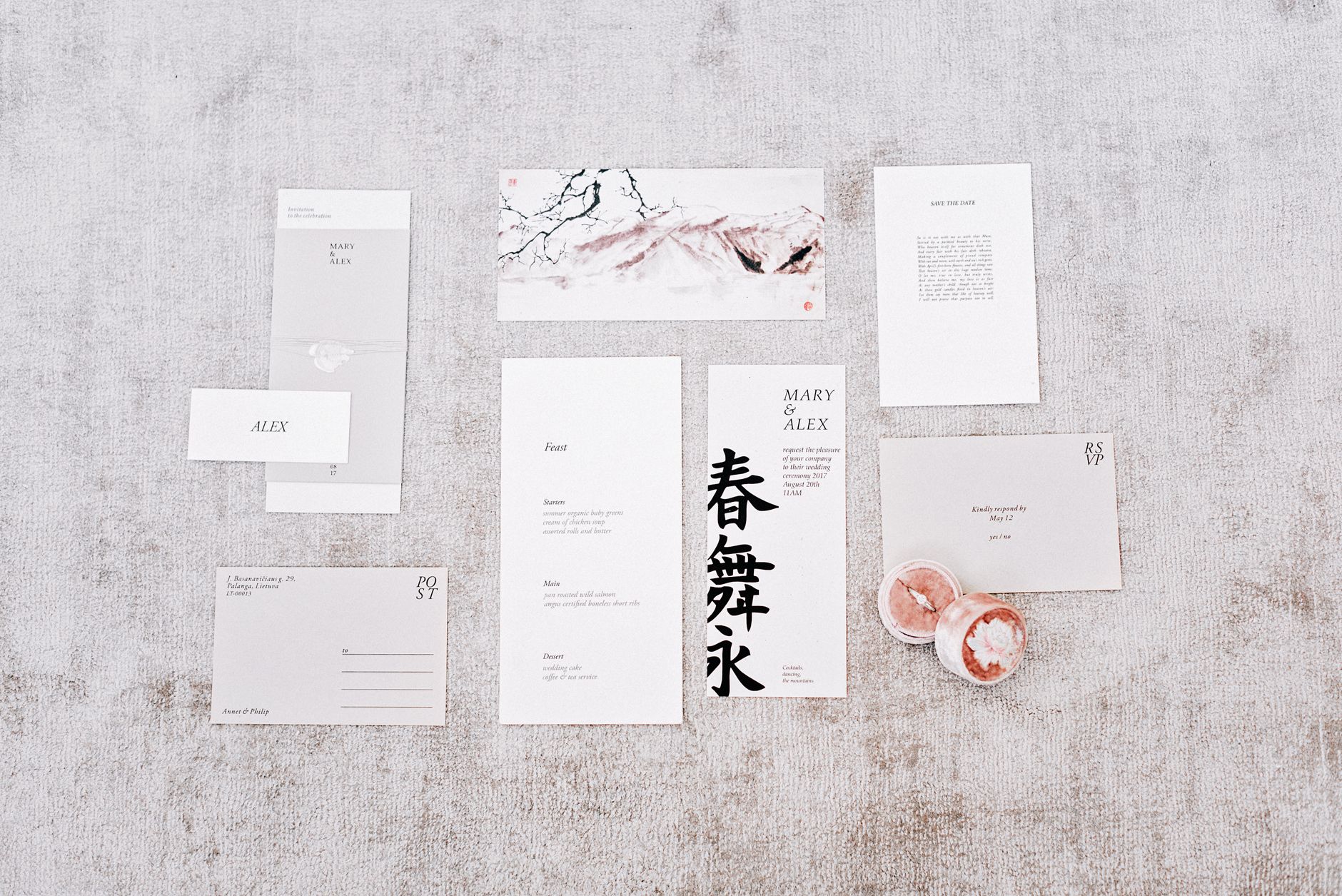 Photo by Mikhail Nilov on Pexels.
How to Test Before You Print
Three quick tests that catch 90% of sign problems:
1. The "phone in hand at arm's length" test. Hold the sign up against a table. Hold your phone at the normal scanning distance (about 12–18 inches away). Open the camera app. Does it scan in under 2 seconds? If not, the QR is too small.
2. The "candle light" test. Take the sign into a dim room with only one lamp on. Try scanning. Most wedding reception lighting is dimmer than people expect. If your sign requires bright light to scan, redesign it before printing.
3. The "five second" test. Hand the sign to a friend who knows nothing about your wedding plans. Five seconds, then take it away. Can they tell you what they were supposed to do? If they can't summarize "scan the code, photos go to the couple," the wording isn't clear enough.
Placement Strategy (Where to Put Them)
A 100-guest wedding needs roughly the following sign distribution:
- 1 welcome/entrance sign (larger format, A4 or 8.5x11)
- 10–12 table cards (one per table, 5x7" on a stand)
- 2 cocktail-hour bar signs (5x7", at the bar)
- 1 bathroom sign (cute, optional, low impact)
- 1 photo-booth or photo-corner sign (if applicable)
You don't need signs at the dance floor, the gift table, or the dessert station — they don't drive scans, they just add clutter.
Print or DIY?
A quick honest take:
Print at home if you want to save $30–$60. Use a quality cardstock (250+ gsm), let the ink dry fully before handling, and accept that home printers don't get the rich blacks of pro printing.
Order from Vistaprint/Moo for $40–$80 total. Sharper print, heavier stock, faster than fighting your home printer. This is what most planners do.
Order custom acrylic stands if you want the upscale tabletop look. Expect $80–$200 total for a 100-guest setup. Worth it for premium weddings, overkill for casual ones.
 Photo by Amar Preciado on Pexels.
Editable Versions
Each template above is editable in Canva — you can swap the QR code, change the headline, adjust fonts and colors to match your wedding. The templates are sized to print directly without resizing.
Things to swap before printing:
- The QR code itself (most photo apps let you download a high-resolution QR PNG — use this, not a screenshot)
- The couple's name or wedding date if you want it on the sign
- Color accents to match your palette
Things to leave alone:
- The 2.5" QR code sizing
- The high-contrast black-on-white QR area
- The "Scan, Shoot, Share" call-to-action structure
A Common Mistake: Branding Over Clarity
The temptation when designing wedding signage is to make it match the rest of the wedding stationery — same fonts, same color palette, same illustrations. That's good for the welcome sign and the menu. For the photo sign, clarity beats branding every time.
The signs that drive the most participation are the ones that look slightly out of place — a tiny bit too direct, a tiny bit too instructional — compared to the rest of the wedding paper. That contrast is what gets attention.
Frequently Asked Questions
What size should a wedding photo table sign be?
5x7" is the standard for a tabletop A-frame or acrylic stand and prints cleanly on home printers. Welcome/entrance signs are usually 8.5x11" or larger. The QR code on any sign should be at least 2.5" square for reliable scanning.
Where can I download free wedding photo sign templates?
The templates linked at the top of this article are free PDF + Canva downloads. They're sized for standard tabletop stands and include the right QR code area for reliable scanning. They're easy to edit for your colors, fonts, and the specific QR code from your chosen photo app.
What should a wedding photo sign say?
Three lines, in this order: a reason to participate ("Be our second photographer"), the instruction ("Scan the code, no downloads needed"), and the payoff ("Photos appear in our album tomorrow"). Skip vague phrases like "Share your photos" — they don't drive action.
How do I print wedding signs at home?
Use heavy matte cardstock (250+ gsm), set your printer to "best quality" or "photo," and let the ink dry fully before stacking. For 8.5x11" welcome signs, a home printer is fine. For uniformity across 10–12 table cards, Vistaprint or Moo is usually worth the $40–$80.
Do I need a sign at every table?
Yes. One sign per table roughly doubles guest participation versus a single entrance sign alone. Guests scan when they're seated and idle (right before dinner, between courses, during toasts), not just on the way in.
What QR code generator should I use?
Use the QR code your photo app gives you directly — it usually has a higher-resolution PNG and the right error-correction level. If you must generate your own, use a tool that supports at least Level Q error correction so the code still scans if a corner gets coffee-stained.
Can I just write the URL instead of a QR code?
You can, but it kills participation. Typing a URL on a phone at a wedding is exactly the kind of friction that drops participation from 70% to 15%. The QR code is the design choice that makes the format work.
Related reading:
- The Best QR Code Wedding Photo Apps Compared [2026]
- How to Get Wedding Guests to Actually Take Photos
- Disposable Camera App vs Real Disposable Cameras for Weddings
About PartyCam: PartyCam is the QR-code event camera app for weddings, parties, and any gathering. We generate a high-resolution QR code you can drop into any of the templates above. Guests scan and shoot with no downloads required (App Clip on iOS), with a real film look. Try it free for your event.